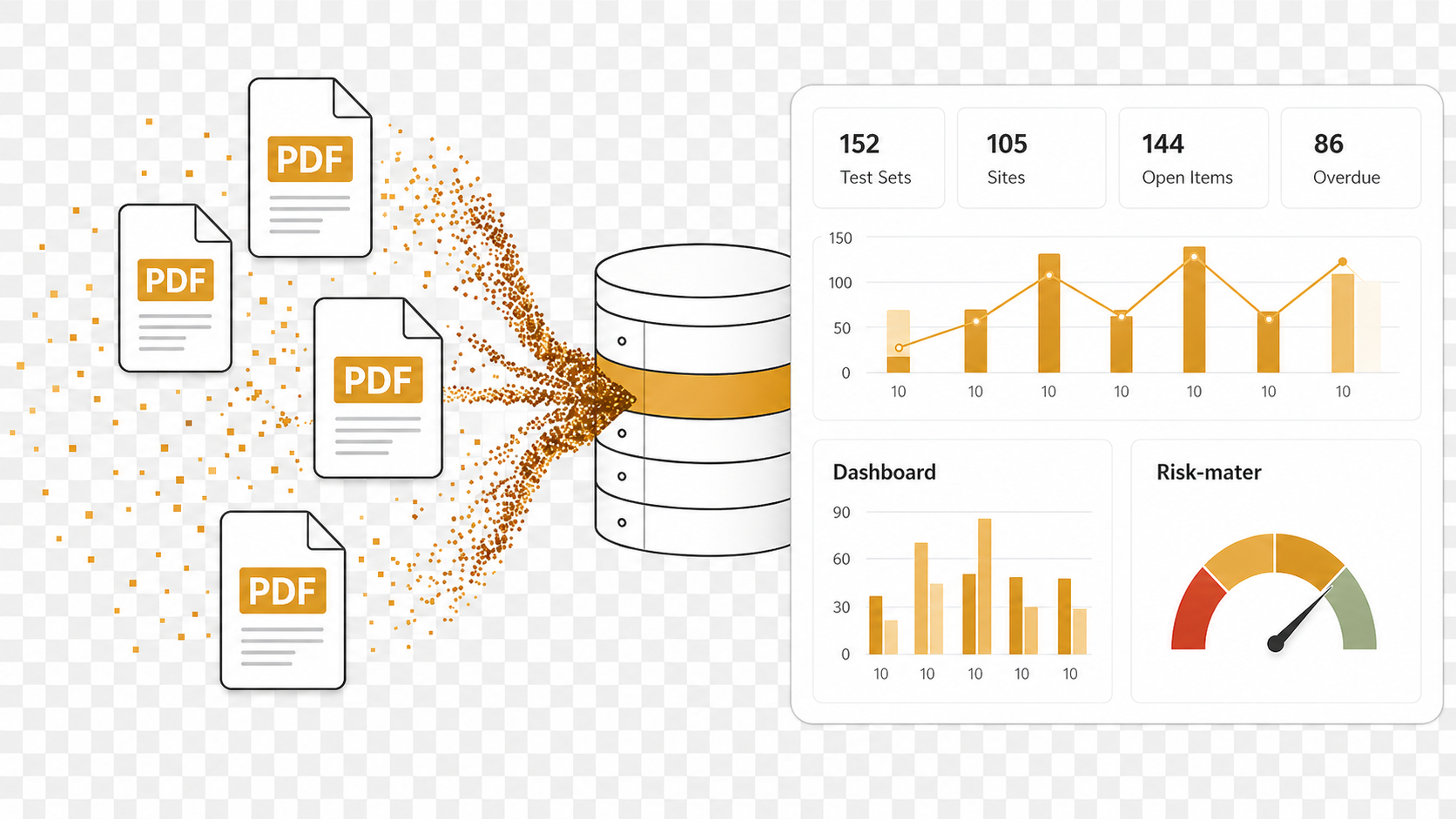
MIR log template fields, material description, supplier, delivery note, test certificate, approval status, missing attachments, and Excel tracker automation
DataXtractors helps project teams extract data from PDFs, scanned forms, photos, and construction QA/QC documents. The platform converts WIRs, MIRs, NCRs, test reports, inspection records, consultant comments, delivery notes, and site photo records into structured trackers, Excel logs, and management dashboards. For teams that still rebuild registers manually from old PDFs, MIR log template construction becomes a practical way to reduce copy-paste work and create a cleaner source of truth.
The product is designed around construction document control realities. Many project records are not born inside a perfect digital workflow. They arrive as scanned PDFs, signed forms, photographed pages, mixed Arabic and English comments, consultant stamps, checkboxes, tables, and inconsistent document numbers. DataXtractors focuses on turning that messy evidence into fields that can be reviewed: reference number, date, location, discipline, contractor, consultant status, required action, missing information, closure state, and source document.
A good tracker is more than a list of files. Project teams need to know what each document means, whether it is approved, whether an action is still open, whether a report is missing, and whether closeout risk is building. DataXtractors reads the document evidence and prepares tracker rows that can support QA/QC reviews, document control meetings, handover checks, and management reporting. This is why MIR log template construction is positioned as an extraction-to-tracker workflow rather than only a file storage tool.
The workflow is simple. Upload one document or bulk upload many files. The extraction engine identifies the document type and key fields. The platform creates a structured tracker row. Users review and edit the result when needed, then export or use the data in dashboards. This approach supports both early pilots with a few records and larger closeout projects with hundreds or thousands of scanned documents.
DataXtractors is useful for QA/QC engineers, document controllers, project managers, consultants, contractors, and owners. A QA/QC engineer can build WIR, MIR, NCR, and SFN logs faster. A document controller can standardize references and status fields. A project manager can see open actions, overdue items, and missing records. A closeout team can prepare reports with better confidence because the data is structured and linked back to the source document.
The platform also helps with consistency. Different subcontractors and packages often use slightly different forms or numbering patterns. Manual trackers become difficult to trust when columns are missing, comments are pasted into the wrong place, or status values are inconsistent. DataXtractors encourages a standard tracker structure so WIRs, MIRs, NCRs, delivery notes, test reports, and inspection records can be filtered, sorted, and reported together.
For construction teams in Saudi Arabia and across international projects, Arabic and mixed Arabic-English documents are common. DataXtractors is designed to preserve visible Arabic names, locations, comments, and values while still creating useful English tracker classifications such as document type, status, and risk. That makes the platform suitable for project records that combine English templates with Arabic notes, stamps, or attachments.
Example: MIR log template fields: A material team needs a clean MIR log for closeout. DataXtractors extracts material description, supplier, delivery note, certificate reference, inspection status, consultant approval, missing attachment notes, and source file. This page focuses on MIR log template construction, so the examples, links, and tracker fields are written around that workflow instead of repeating generic product copy.
Product Screens: From Upload to Dashboard
The public examples below show the DataXtractors workflow: upload documents, extract fields, create tracker rows, report missing information, and open a dashboard-style view.
How DataXtractors Works
Upload PDF files, scanned pages, photos, or batches of project records. DataXtractors extracts key fields, classifies the document type, prepares structured tracker rows, and lets your team review the result before using it for Excel tracker automation or dashboards.
- Upload PDF, scan, photo, or a bulk folder of construction records.
- AI extracts fields such as reference, date, discipline, location, status, action, and comments.
- Review the structured tracker and correct anything that needs human confirmation.
- Export to Excel-style logs or use the data in dashboards and reports.
Example: MIR log template fields
A material team needs a clean MIR log for closeout. DataXtractors extracts material description, supplier, delivery note, certificate reference, inspection status, consultant approval, missing attachment notes, and source file.
Related workflows: MIR Tracker Software for Material Inspection Requests, Excel Tracker Automation from PDFs and Scans, Construction QA/QC Tracker Automation, Construction Document Extraction Blog.
Who DataXtractors Is For
QA/QC Engineers
Build WIR, MIR, NCR, SFN, test report, and inspection logs from uploaded project records.
Document Controllers
Standardize references, revisions, statuses, comments, and source files across project document registers.
Project Managers
See open actions, overdue items, missing records, and closeout risk without waiting for manual spreadsheet updates.
Contractors
Recover useful data from subcontractor forms, consultant comments, delivery notes, and scanned closeout packages.
Consultants
Review structured QA/QC evidence, comments, approvals, and rejection history across multiple document types.
Owners / Client Representatives
Track handover readiness, document completeness, and audit risk from a project-level dashboard.
Construction Documents Supported
DataXtractors is designed for the construction records that usually create manual spreadsheet work during QA/QC, document control, handover, and project closeout.
Saudi Arabia Construction Projects
DataXtractors supports construction QA/QC teams working with mixed English and Arabic project records, scanned documents, consultant comments, document control workflows, and closeout archives. This matters on Saudi projects where English forms may include Arabic notes, bilingual stamps, Arabic names, scanned approvals, and contractor or consultant comments that must remain visible in the tracker.
For teams preparing handover packages, claims support, or management reports, DataXtractors helps convert mixed-language records into structured logs without losing the source-file connection.
Book a Demo for MIR log template construction
Send a small sample set of PDFs, scans, WIRs, MIRs, NCRs, consultant comments, or delivery notes and see how DataXtractors turns them into separated logs and dashboard-ready data.
Book a Demo Start Free TrialWhat Documents It Extracts
DataXtractors can support Work Inspection Requests, Material Inspection Requests, Non-Conformance Reports, Site Field Notices, consultant comments, delivery notes, test reports, inspection records, material records, site photos, and closeout documents. The platform is especially useful when records are locked inside PDFs and scanned archives.
Construction QA/QC Use Cases
Construction QA/QC teams use structured logs to monitor inspection workflow, missing information, approval status, repeated issues, overdue actions, and closeout readiness. DataXtractors turns document evidence into tracker rows that can support construction QA/QC tracker workflows and daily project controls.
WIR, MIR, and NCR Tracker Automation
WIR tracker automation helps teams record inspection references, locations, disciplines, dates, and consultant status. MIR tracker automation helps teams manage material inspections, suppliers, test report links, and approvals. NCR tracker automation helps teams follow corrective actions, due dates, responsible parties, closure evidence, and quality risk.
Excel Tracker Generation
The output is prepared in an Excel-style structure so teams can filter, sort, review, and report. DataXtractors is not only about reading a document; it is about converting that reading into a tracker your team can actually use.
Missing Information Detection
During extraction, the platform can flag missing document numbers, unclear dates, absent comments, missing attachments, uncertain status, and other issues that usually slow down QA/QC closeout and document control reviews.
Dashboard and Reporting
Once documents become structured tracker rows, the same data can support dashboards for open items, overdue actions, document types, contractor performance, repeated issues, and closeout risk. This gives management a clearer view than a folder full of scanned PDFs.
Related DataXtractors Pages
FAQ
What is DataXtractors?
DataXtractors is an AI document extraction platform that converts PDFs, scans, photos, and site records into structured trackers and dashboards.
Can DataXtractors extract data from scanned PDFs?
Yes. DataXtractors can process scanned documents and images, extract key fields, and organize the information into structured logs.
Can it create Excel trackers?
Yes. DataXtractors can convert extracted document data into Excel-style trackers for QA/QC, document control, and project reporting.
Can it process WIR, MIR, and NCR documents?
Yes. It is designed for construction QA/QC teams handling WIRs, MIRs, NCRs, test reports, inspection records, and consultant comments.
Is DataXtractors useful for construction projects?
Yes. It helps construction teams reduce manual data entry, track closeout status, detect missing information, and prepare reports faster.
How does DataXtractors help with MIR log template construction?
A material team needs a clean MIR log for closeout. DataXtractors extracts material description, supplier, delivery note, certificate reference, inspection status, consultant approval, missing attachment notes, and source file. The extracted data can be reviewed, edited, and used in separated logs, Excel-ready trackers, and dashboard summaries.
Can DataXtractors separate mixed document uploads?
Yes. A mixed bulk upload can be classified into separate logs such as WIR Register, MIR Register, NCR Log, SFN Log, consultant comments, delivery notes, test reports, and review-needed documents.
Book a Demo or Start Turning Documents into Trackers
Use DataXtractors to test PDF data extraction, scanned document extraction, construction QA/QC tracker automation, and Excel tracker generation with real project records.
Book a Demo Start Free Trial